


Rebranding Without Losing SEO Visibility: A Step-by-Step Plan
So, you’re ready to evolve. As businesses evolve, it’s common for their brand identity to fall out of alignment with their current positioning, audience, or growth stage. Rebranding, whether it involves a new name, visual identity, website structure, or messaging, represents a strategic opportunity to realign and strengthen market presence.
At this point, many organizations engage a branding agency to refine how they present themselves across digital touchpoints. However, alongside the opportunity, there is often an underlying concern that needs to be addressed
This is the central fear of every small business owner who has spent years, maybe even a decade, diligently building authority and capturing that precious page one real estate. A messy rebrand can absolutely tank your organic traffic and visibility.
We’ve seen established businesses lose half of their traffic overnight because the technical migration was treated as an afterthought to the new aesthetic.
It doesn’t have to be that way. It is entirely possible to execute a strategic rebrand and, at worst, see only a temporary ripple in your traffic before ultimately recovering and often surpassing your previous performance.
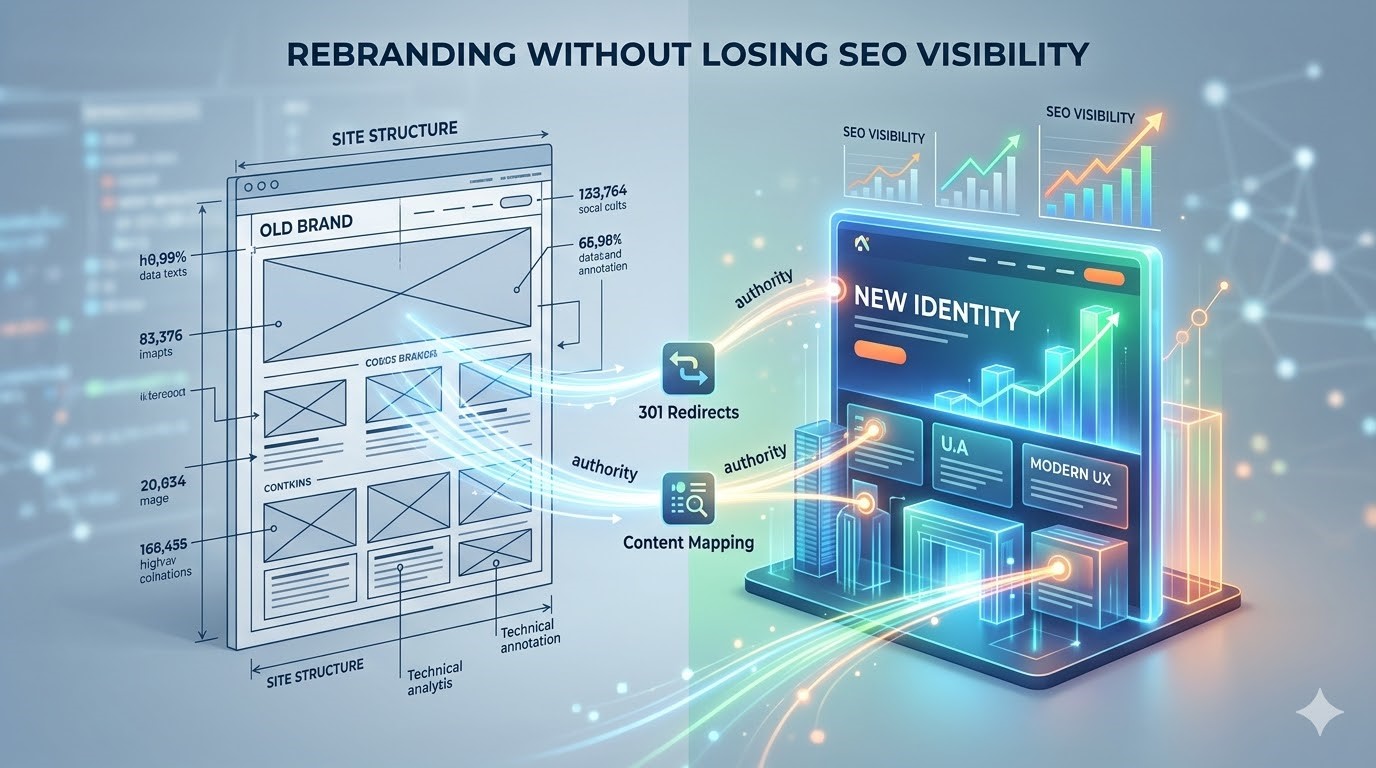
You might be thinking, “Wait, isn’t a rebrand just a new logo?” Not quite. When we talk about rebranding without losing SEO rankings, we are usually talking about a technical site migration. This process involves moving your entire digital footprint from one “container” (the old domain, name, and site structure) to a new one.
Here is the straightforward, custom-built step-by-step plan we use at our agency to help small and medium-sized businesses navigate this transition without losing the search visibility they’ve worked so hard for.
The Pre-Migration Phase: Planning Is 90% of the Battle
This is the critical groundwork. Skipping this phase is where most failures occur. You are not just building a new site; you are building an inheritance structure for the old site’s authority.
1. The Full SEO Audit (Snapshot Your Success)
You cannot protect what you do not measure. Before anyone touches a line of code or draws a new vector line, you need a complete picture of where your search equity currently resides. This audit isn’t for showing what’s wrong; it’s for protecting what’s right.
- Identify Your Star Players: Using tools like Google Search Console and Google Analytics, map out your top-performing pages measured by impressions, clicks, and conversions. These are your high-traffic hubs. Do not move these pages casually.
- Track Your Core Keywords: For a typical small business, there are likely 10–20 keywords that drive most of your relevant traffic. Snapshot their exact positions today.
- Backlink Profile Audit: Compile a list of all websites that link to you. A high-value backlink from an industry publication is an asset; we need to identify these so we can request updates later.
2. Refine the Brand Messaging for SMB Owners
A rebrand isn’t just about a change of scenery; it’s a change of voice. This is your chance to sharpen how you speak to your audience. For Wahha Design, that means focusing on results and practicality for our small business clients, not jargon.
Your new messaging needs to be woven into every piece of content. When we update content (which is inevitable), we prioritize keeping the core relevant keywords that drive ranking while upgrading the tone to be professional, helpful, and focused on practical business insights for owners seeking digital growth.
We avoid the fluff. A high-ranking piece that now says “Our new approach is synergy-driven content for proactive growth paradigms” won’t rank for long if it doesn’t provide real value to an actual person trying to generate leads.
3. Improve the User Experience (UX)
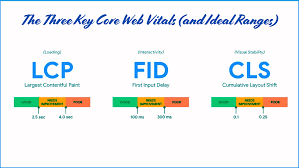
Here’s a practical insight that many generic guides overlook: Google cares increasingly about Page Experience metrics, often discussed as Core Web Vitals. When you redesign your site for the rebrand, you aren’t just making it pretty. You must make it faster and easier to navigate.
A better UX (User Experience) is a powerful tool for maintaining rankings. If users arrive at your new site, find it instantly confusing because the navigation has completely changed, and immediately bounce back to search, Google notices.
A well-executed design improves time on page, conversion rates, and reduces bounces—all signals that your new site is high-quality. The design must be responsive, load quickly, and have a clear hierarchy that guides a small business owner directly to the solutions they need.
The Migration Phase: Content Mapping and Redirect Strategies
This phase is purely about transferring the authority. If the previous phase was defining why you are rebranding, this phase is defining where every piece of authority lives now.
4. Content Mapping: The Blueprint for Success
This is arguably the most vital step from a practical standpoint. It’s not just a fancy term; it is the process of creating a master spreadsheet (we often just use Google Sheets) that lists every single active URL on your old site alongside its precise replacement URL on the new site.
This spreadsheet is the guide that controls exactly how authority moves.
- 1-to-1 Matching: The best scenario. abc.com/blog/how-to-do-seo should map to newbrandname.com/blog/how-to-do-seo. Minimal change, minimal confusion for Google.
- Merging: If you have multiple thin pages on similar topics, now is the time to merge them into one authoritative “mega-guide.” You map all the old, thin URLs to the single new, comprehensive URL.
- Pruning: Handle with absolute care. If a page has zero traffic, zero rankings, and zero backlinks, you might consider letting it die. But for SMBs, every single page is a potential entryway. Be extremely conservative about pruning. If a page ranks for anything, map it somewhere.
5. Executing the 301 Redirect Strategy
This is the technical handshake. If you moved your physical store across town, you wouldn’t just cross your fingers that your customers figured it out. You’d set up mail forwarding.
A 301 redirect is digital mail forwarding. It’s a permanent command that tells search engines: “The value and authority that used to be at old.com/service is now permanently at new.com/service.”
Here’s where many rebrands go off the rails: They just point the whole old domain (old.com/*) to the new home page (new.com). This is a massive SEO mistake.
This tells Google that all your specific, nuanced service and blog content is now just “general information.” You will lose rankings for specific search terms. Your content mapping (the master spreadsheet from Step 4) exists precisely so that your developer (or your agency) can implement granular, 1-to-1 redirects.
For Wahha Design migrations, we obsess over avoiding “redirect chains” (e.g., Old Page -> Page B -> New Page). These create slow load times, confuse bots, and dilute authority. We test every single redirect row from our content mapping master sheet to ensure the mapping is direct.
The Launch & Post-Launch Phase: The Vital Checklist
The technical migration is complete. The new site is live. The hard work is not over. This is the stabilization phase.
6. The Launch Checklist
The day of the launch should be orderly, not chaotic. We use a detailed launch checklist to ensure nothing is missed:
- Submit New Sitemaps: Generate the XML sitemap for the new domain and submit it via Google Search Console immediately. This is you manually telling Google to come “spider” (index) the new structure.
- Request Re-indexing: For your absolutely critical high-value pages, manually request re-indexing within GSC.
- Implement the Rel=”canonical” Tag: Ensure that your new site is correctly identifying its pages as the primary (canonical) source, pointing only to itself, not the old domain. This prevents duplicate content issues.
- Audit Internal Links: While the new site should have its navigation updated, ensure that inline links in old blog posts (e.g., a post about PPC that links to your Web Design page) have been updated to point to the new URLs directly, not rely on the 301 redirect. A clean internal structure points only to the direct destination.
- Verify Google Business Profile (GBP) Updates: Re-verify your new brand name and updated domain/website URL on your GBP. If you are also changing your physical location, this update is critical for local SEO. Keeping your local signals accurate and aligned with your website helps search engines maintain trust in your brand, especially as modern search evolves with AI-driven results and smarter algorithms, as discussed in this guide on AI + SEO Insights: What Local Businesses Need to Know in 2025.
7. Post-Launch: Monitoring and Troubleshooting
Expect fluctuation. Your rankings will wobble. Google needs a few days or weeks to process the sheer volume of 301 redirects and re-index the new content. This is normal. Your job is to monitor and act, not panic.
We dedicate a team member to monitor the Search Console for 4–6 weeks post-launch, specifically looking at:
- Coverage Errors: Are you seeing a massive spike in 404 (Not Found) errors that you didn’t expect? This means a redirect failed or was missed. Fix it instantly. We cross-reference any unexpected 404s back against the content mapping blueprint.
- Validation: Use GSC’s ‘Validate Fix’ feature to tell Google you’ve corrected the missed redirects.
8. Backlink Outreach (Off-Page Cleanup)
While a 301 redirect does transfer backlink authority, it’s not as “pure” as a direct link. For your highest-value links—those critical industry publications, partner sites, and authoritative directories you identified in your audit—it is worth doing manual outreach.
Contact the webmaster and kindly provide them with the direct new URL, explaining that you’ve rebranded and would appreciate the link being updated. This solidifies your core off-page SEO foundation on the new domain and makes your traffic less reliant on the 301.
Final Thoughts: A Custom Plan for Digital Growth
Rebranding your business doesn’t have to mean starting your SEO journey over from scratch. When you focus heavily on planning, detailed content mapping, precise 301 execution, and UX improvement, you aren’t losing visibility; you are making an investment in transferring and upgrading that visibility.
Yes, there is a technical checklist to follow, but the key is treating the rebrand as an evolution of your existing success, not a demolition of it. For many of the small businesses we work with, the temporary wobbly rankings and technical overhead are a necessary step to reach the next phase of digital growth under a brand identity that better represents who they are.
By following this step-by-step plan, you ensure that when the dust settles, your clients aren’t just finding your new look—they are finding you exactly where they expect to: at the top of the search results.
